Complete DayZ Server Hosting Guide: Setup, Settings, and Optimization
Learn how to set up and configure a DayZ dedicated server in 2025. Covers hardware requirements, key settings, mods, and performance optimization tips.
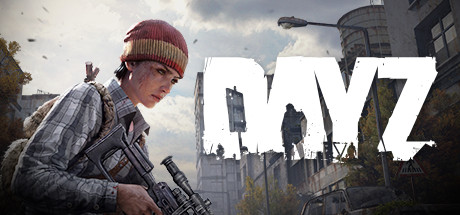
Why Host Your Own DayZ Server
Running a private DayZ server gives you full control over the survival experience. You decide the loot economy, time acceleration, mod list, whitelist rules, and restart schedule. Whether you want a hardcore vanilla experience on Sakhal or a modded PvP playground on Chernarus, a dedicated server is the foundation.
This guide covers everything you need to know about DayZ server hosting in 2025, from hardware requirements to key configuration files.
Hardware Requirements
DayZ is demanding on server hardware. The minimum and recommended specifications are:
| Component | Minimum | Recommended |
|---|---|---|
| CPU | Quad-core 3.0 GHz | Quad-core 3.5 GHz+ |
| RAM | 8 GB | 16 GB (essential for mods) |
| Storage | 20 GB SSD | 40 GB NVMe SSD |
| Network | 10 Mbps upload | 50 Mbps+ upload |
| OS | Windows Server or Ubuntu 20.04+ | Same |
SSDs are not optional. DayZ loads map chunks and loot databases constantly, and spinning disks create noticeable lag spikes for players.
Key Configuration Files
DayZ server configuration lives in a few critical files that control nearly every aspect of gameplay.
serverDZ.cfg
This is the primary server configuration file. Important settings include:
- hostname: Your server name as it appears in the browser
- password: Leave empty for a public server or set for private access
- maxPlayers: Typically 40 to 60 for most communities
- verifySignatures: Set to 2 to enforce BattlEye and mod signature checks
- timeStampFormat: Controls log timestamp formatting
- loginQueueConcurrentPlayers: Limits simultaneous logins to prevent lag spikes when many players connect at once
Time and Weather Settings
- serverTime: Sets the starting time of day
- serverTimeAcceleration: Controls how fast time passes. A value of 6 means six in-game hours pass per real hour.
- serverTimePersistent: When enabled, the server saves its current time so restarts pick up where they left off
- serverNightTimeAcceleration: Separately controls night speed. Many servers accelerate nights to 4x or faster.
Persistence
Enable persistence to ensure player-built bases, stashed items, and vehicles survive restarts. Without it, progress resets every time the server cycles. This is controlled by the -doLogs -adminLog -netLog -freezeCheck launch parameters and the storage_1 folder structure.
Loot Economy and the Central Economy
DayZ uses a Central Economy (CE) system defined in XML files within the mpmissions folder. The key files are:
- types.xml: Defines every item in the game, its spawn count, lifetime, and restock timer
- cfglimitsdefinition.xml: Maps categories and tags used by types.xml
- cfgspawnabletypes.xml: Controls item attachments and cargo when items spawn
Tuning the loot economy is one of the most impactful things you can do as a server admin. Increasing nominal values in types.xml raises the total amount of an item on the map, while adjusting lifetime controls how long items persist before despawning.
Installing Mods
DayZ mods are distributed through the Steam Workshop. To add mods to your server:
- Subscribe to the mod on the Workshop
- Copy the mod folder (named with its Workshop ID) to your server’s root directory
- Add the mod to your server launch parameters using
-mod=@ModName1;@ModName2 - Add corresponding keys from each mod’s
keysfolder to your server’skeysdirectory
Popular mod categories include base building expansions, trader systems, new weapons, vehicles, and map additions. See our best DayZ mods guide for detailed recommendations.
Performance Optimization Tips
Restart Schedule
Schedule automatic restarts every 4 to 6 hours. DayZ servers accumulate memory usage over time, and regular restarts keep performance stable. Most communities use 4-hour cycles with warnings at 15, 5, and 1 minute before restart.
Player Slots vs. Performance
More players means more server load. A 60-slot server with heavy mods may perform worse than a 40-slot vanilla server. Test your configuration and scale player count based on actual performance rather than aspirations.
Mod Count
Every mod adds overhead. Stick to well-maintained, popular mods and avoid redundant mods that modify the same systems. A curated list of 15 to 20 quality mods typically outperforms a bloated list of 40.
Network Quality
Server location matters. Choose a hosting location close to the majority of your players to minimize latency. European servers should target major internet exchanges in Frankfurt, Amsterdam, or London.
Hosting Options: Self-Hosted vs. Managed
Self-Hosted
You rent a bare VPS or dedicated machine and install DayZ Server manually using SteamCMD. This gives maximum control but requires Linux or Windows sysadmin knowledge, manual updates, and your own monitoring.
Managed Game Server Hosting
A managed hosting provider handles the infrastructure, automatic updates, mod management, and monitoring. You focus on building your community and tuning gameplay.
At Reactor, our DayZ hosting runs on dedicated hardware with NVMe storage, automatic updates, and one-click mod installation. Servers deploy in minutes with full configuration access through our control panel.
Get started with DayZ hosting at Reactor and let us handle the infrastructure while you focus on your community.
Ready to host your game server?
Reactor offers instant setup, European hardware, full mod support, and 24/7 uptime. Starting at just €4.40/month.
Browse Game Servers →